It might seem like a minor purchase — a pad you put on your desk. But a quality desk mat is one of the most impactful single items you can add to a home office setup. It changes the feel of your workspace, protects your desk surface, unifies the look of your peripherals, and quietly improves every hour you spend at your desk.
What Is a Desk Mat?
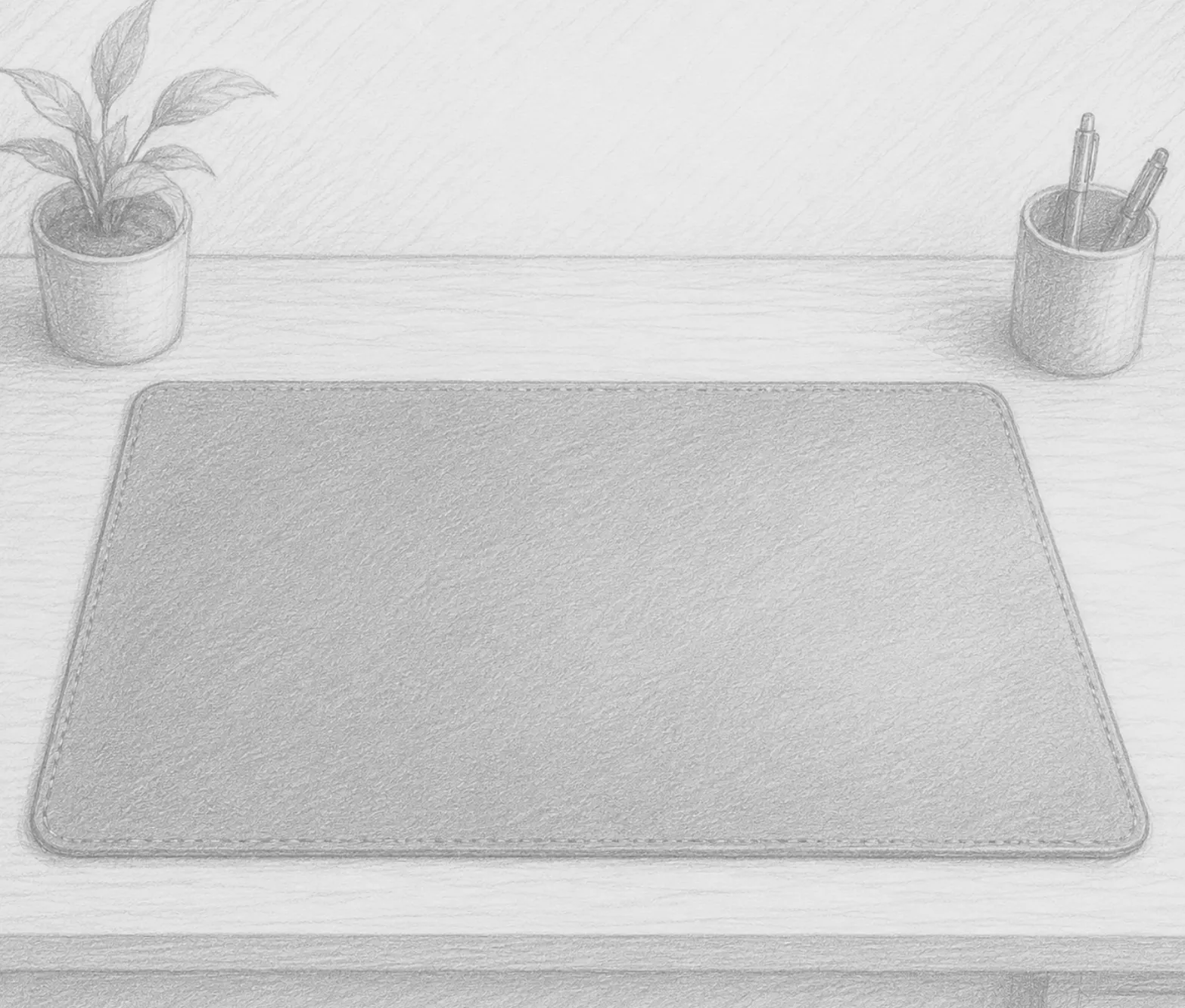
A desk mat (also called a desk pad) is a large surface covering that sits on top of your desk and typically runs the full width of your keyboard and mouse area — sometimes extending across the entire desk. Unlike a standard mouse pad, a desk mat is designed to cover a large area and serve multiple functions simultaneously.
They come in several materials, each with different properties:
- Leather / PU Leather: Smooth, premium look, easy to clean, slightly firm surface. Popular for office setups that prioritize aesthetics.
- Microfiber / Cloth: Soft, precise mouse tracking, comfortable wrist feel. Better for gaming-style setups or users who want a warmer surface.
- Extended Mouse Pads: Essentially oversized cloth mouse pads. Affordable, machine-washable, and excellent for mouse precision.
- Cork: Natural, eco-friendly, anti-static, and provides a firm surface. Less common but gaining popularity.
Why Your Desk Needs One
1. Surface Protection
Desks — especially wood-finish desks — scratch, stain, and wear with daily use. A keyboard edge, a sliding mouse, a mug left to cool — all of these cause damage over time. A desk mat absorbs all of it. When the mat gets worn, you replace the mat, not the desk.
2. Unified Aesthetic
A scattered desk looks like a collection of unrelated objects. A desk mat provides a single visual plane that unifies your keyboard, mouse, and any other items on it. The desk instantly looks more intentional and composed. This matters for video calls and for your own psychological relationship with your workspace.
3. Consistent Mouse Surface
Mouse performance varies dramatically depending on the desk surface underneath. Wood grain, laminate irregularities, and glass all create tracking inconsistencies. A uniform mat surface gives your mouse consistent, predictable behavior across the full movement range.
4. Wrist Comfort
Hard desk surfaces create contact pressure on your wrists as you type and mouse. A leather or cloth mat provides just enough cushioning to reduce this pressure during long sessions without the exaggerated elevation of a dedicated wrist rest.
5. Noise Dampening
Keyboard noise on a hard desk surface is amplified. A mat absorbs a surprising amount of typing and mouse-clicking sound, both for you and for your microphone.
Sizing: How Big Should Your Desk Mat Be?
The right size depends on your desk and setup:
- Small (24” x 14”): Covers just the keyboard and mouse area. Good for small desks or minimalist setups.
- Medium (31” x 16”): The most common size. Comfortably covers a full keyboard, numpad, and mouse with space to spare.
- Large (36”+ x 18”+): Runs nearly desk-width. For wide desks, ultra-wide monitor setups, or anyone who wants maximum coverage.
- XL / Full-Desk (47”+ x 23”+): Covers nearly the entire desk surface. Creates a completely unified look.
When in doubt, go larger. A desk mat that’s slightly too big is far less noticeable than one that’s slightly too small.
Key Features to Look For
Non-slip backing: The most important feature. Look for rubber or silicone backing that keeps the mat from shifting during use. A mat that creeps or bunches is immediately frustrating.
Stitched edges: Unstitched edges fray quickly. Any cloth or fabric mat worth keeping long-term should have reinforced, stitched edges.
Washability: Cloth and fabric mats should be machine-washable. PU leather mats should be wipe-clean.
Thickness: 2–4mm is standard. Thicker mats tend to feel more premium; thinner mats are more portable.
Matching Your Desk Mat to Your Setup
Colors and materials should complement your existing desk and peripherals. Black and dark gray are versatile and hide wear well. Natural tones (tan, brown, cream) complement wood-finish desks. White and light gray look clean but show stains more readily.
If your desk is already dark, a lighter mat creates nice contrast. If your desk is light wood, a tan leather mat creates a cohesive natural aesthetic.
Final Thoughts
A desk mat won’t boost your processing power or fix your posture, but it will make your desk a more pleasant place to spend time. It’s the kind of addition that, once in place, you wonder how you worked without. And for the price of a nice dinner, it’s one of the best-value upgrades you can make to a home office.
Recommended Products
Top-rated desk mats across styles and sizes:
- Aothia PU Leather Desk Pad — One of Amazon’s most popular desk mats. Non-slip rubber backing, waterproof PU leather surface, and a clean professional look. Available in multiple sizes and colors.
- Extended Mouse Pad / Cloth Desk Mat — For precise mouse tracking and a softer surface feel, browse top-rated cloth desk mats with stitched edges.
- Full-Desk Mat (Large Format) — For wide desks or a fully unified look, XL desk mats that run the full desk length.
As an Amazon Associate, we earn from qualifying purchases.