Most people set their monitor directly on the desk and never think about it again. But your monitor’s position — its height, distance, and angle — directly affects your posture, your neck, and your comfort during a full workday. A monitor arm or stand is one of the most underrated desk upgrades available, and it often costs less than you’d expect.
The Problem With Flat Monitor Placement
When a monitor sits directly on a desk, it’s almost always too low. The top of your screen should be at or just below eye level, which allows your neck to stay in a neutral, relaxed position. A monitor sitting flat on a desk puts the center of the screen well below eye level, causing you to tilt your head down for hours — a common contributor to neck pain, shoulder tension, and upper back fatigue.
Beyond ergonomics, a flat monitor wastes desk space. The footprint of a monitor stand occupies real estate you could use for other things.
Monitor Arm vs. Monitor Stand: What’s the Difference?
Monitor stands are fixed-height risers that lift your monitor a set amount — typically 4 to 6 inches. They’re affordable, stable, and require no installation. Many include storage drawers or cable channels. The downside: no adjustability once placed.
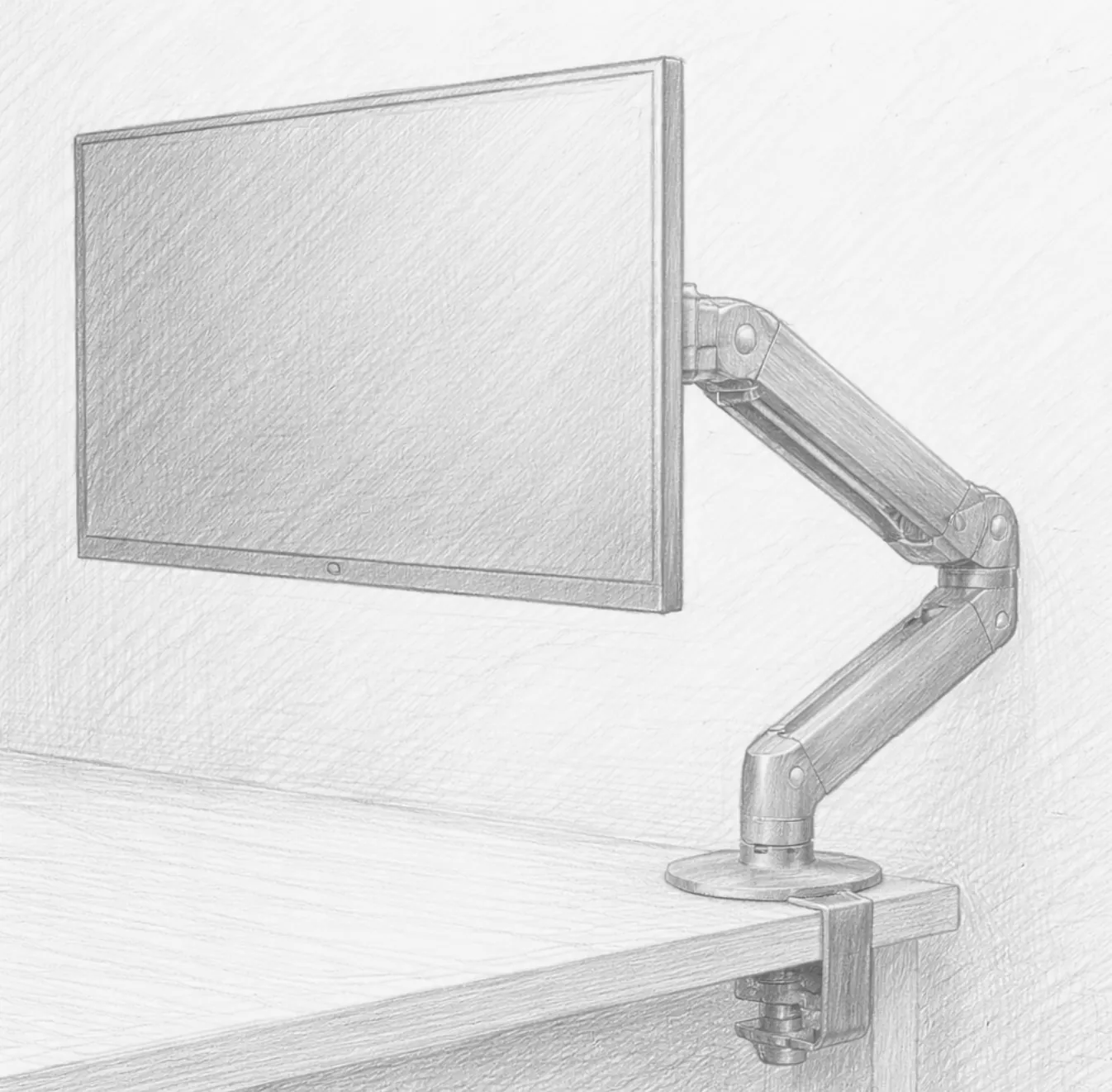
Monitor arms clamp or bolt to your desk and allow full range-of-motion adjustment: height, tilt, swivel, and forward/backward distance. They free up the entire desk footprint beneath the monitor and allow you to dial in your exact ergonomic position. They require a VESA-compatible monitor (most modern monitors are) and a desk thick enough for clamping.
For most people doing serious knowledge work, a monitor arm is the superior choice.
The Ergonomic Case for Monitor Arms
The correct monitor position follows these guidelines:
- Height: Top of the screen at or just below eye level
- Distance: Arm’s length away (roughly 20–30 inches)
- Tilt: Slight backward tilt (10–20 degrees) to reduce glare and maintain comfortable viewing angle
- Position: Directly in front of you, never requiring neck rotation
A fixed stand can get you close, but an arm gives you the precision to hit every one of these targets exactly for your height and chair position. When you change chairs or workstations, you simply readjust.
Single vs. Dual Arm
If you work with one monitor, a single arm is all you need. If you’re running a dual monitor setup, a dual arm keeps both screens at the exact same height and distance and eliminates the separate footprints of two stands. Dual arms typically clamp to the desk with a single mounting point, saving significant desk space.
Gas Spring vs. Spring-Loaded vs. Motorized
Gas spring arms use a pressurized cylinder to support the monitor’s weight, allowing smooth, frictionless repositioning with minimal effort. This is the most common type for home offices and the best balance of flexibility and cost.
Spring-loaded arms are similar but use mechanical tension. Often slightly less smooth than gas spring, but still very functional.
Motorized arms are expensive and uncommon but allow motorized height adjustment from a button or app — more relevant for sit-stand desk users who frequently change position.
Weight Capacity and VESA Compatibility
Before buying, check two things:
- Your monitor’s weight. Most arms support 15–25 lbs. Ultrawide monitors can exceed this — verify the arm’s capacity covers your screen’s weight.
- Your monitor’s VESA pattern. The vast majority of monitors have a 75x75mm or 100x100mm VESA pattern on the back. Check your monitor’s specs or look at the back panel for the four bolt holes.
Cable Management
A good monitor arm includes cable management channels built into the arm — routes for power and display cables to run neatly inside the arm rather than dangling. This is one of the most aesthetically impactful improvements you can make to a desk setup. Clean, hidden cables transform the look of a workspace entirely.
Desk Thickness and Clamp Type
Most arms use a C-clamp that fits desks up to 3–4 inches thick. If you have a thicker desk or need a permanent installation, grommet mounting (bolting through a hole in the desk) is the stronger option. Check the arm’s mounting specs against your desk before purchasing.
The Difference It Makes
Installing a monitor arm is one of those upgrades where the impact is immediately obvious. Your desk feels larger, your posture feels better within the first hour, and the ability to tilt your screen away during non-work hours or pull it close for detailed work makes your workstation genuinely dynamic rather than static.
If you’ve never adjusted your monitor height, there’s a good chance you’ve been looking downward all day. A monitor arm fixes that permanently.
Recommended Products
Top-rated monitor arms for home office setups:
- Ergotron LX Single Monitor Arm — The gold standard home office monitor arm. Smooth gas spring, excellent cable management, and rock-solid build quality.
- Amazon Basics Single Monitor Arm — A reliable budget-friendly option for single monitor setups at a fraction of the Ergotron price.
- Dual Monitor Arm — Browse the best dual monitor arms if you’re running a two-screen setup. Single clamp point, fully independent adjustment for each screen.
As an Amazon Associate, we earn from qualifying purchases.